Hold your shortcut and talk the way you'd talk to a person. Sonari cleans it up and pastes it where you were typing. With Apple Intelligence, it can shape it for the app you're in, too. Nothing you say leaves your Mac.
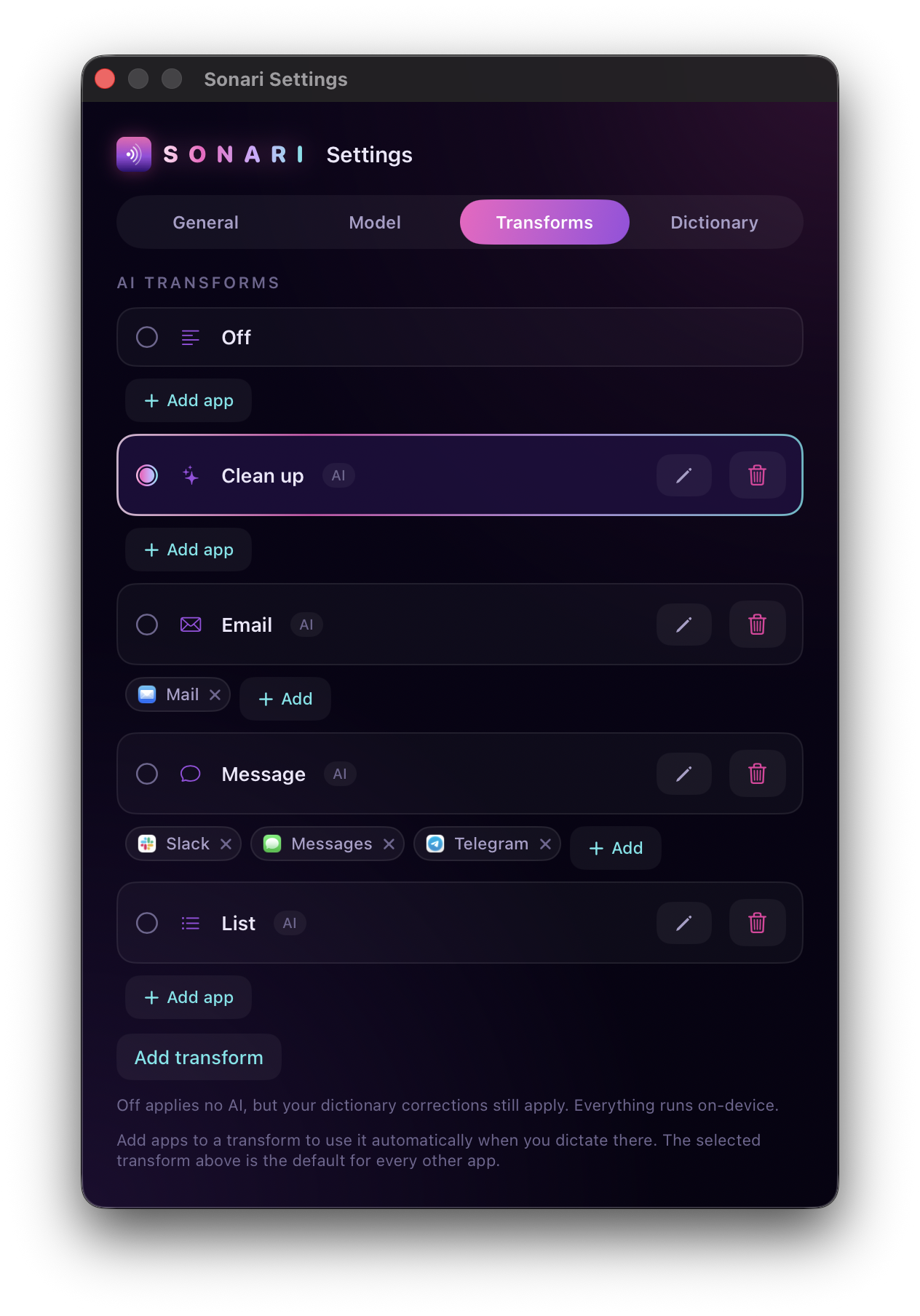
Dictation should sound different depending on where it lands. Attach an app to a transform and Sonari applies it automatically, going off whichever app was in front when you started talking. Slack, iMessage, and Telegram can share one casual style. Mail turns into a proper email. A terminal can stay untouched. Set it once and stop babysitting a mode switch.
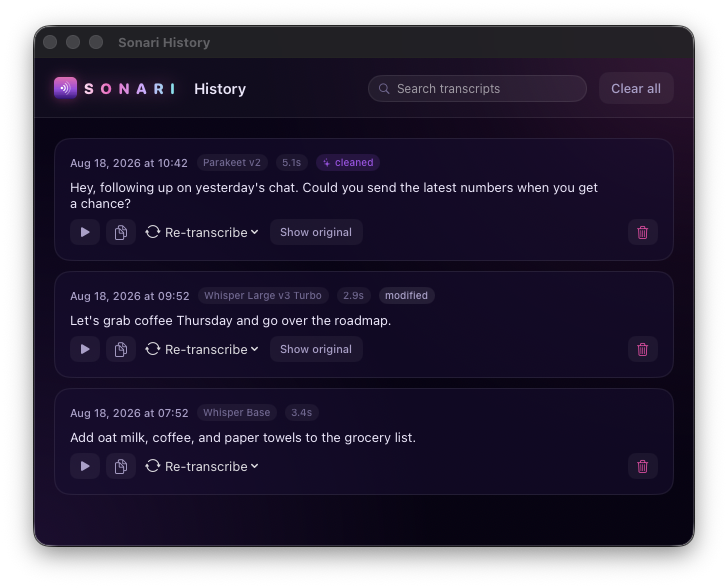
Every dictation is saved on your Mac, audio and all. Search your transcripts, play back the original, or copy the text again. Downloaded a sharper model since? Re-transcribe an old recording without saying a word. It all stays on your machine, and you can delete any of it whenever you want.
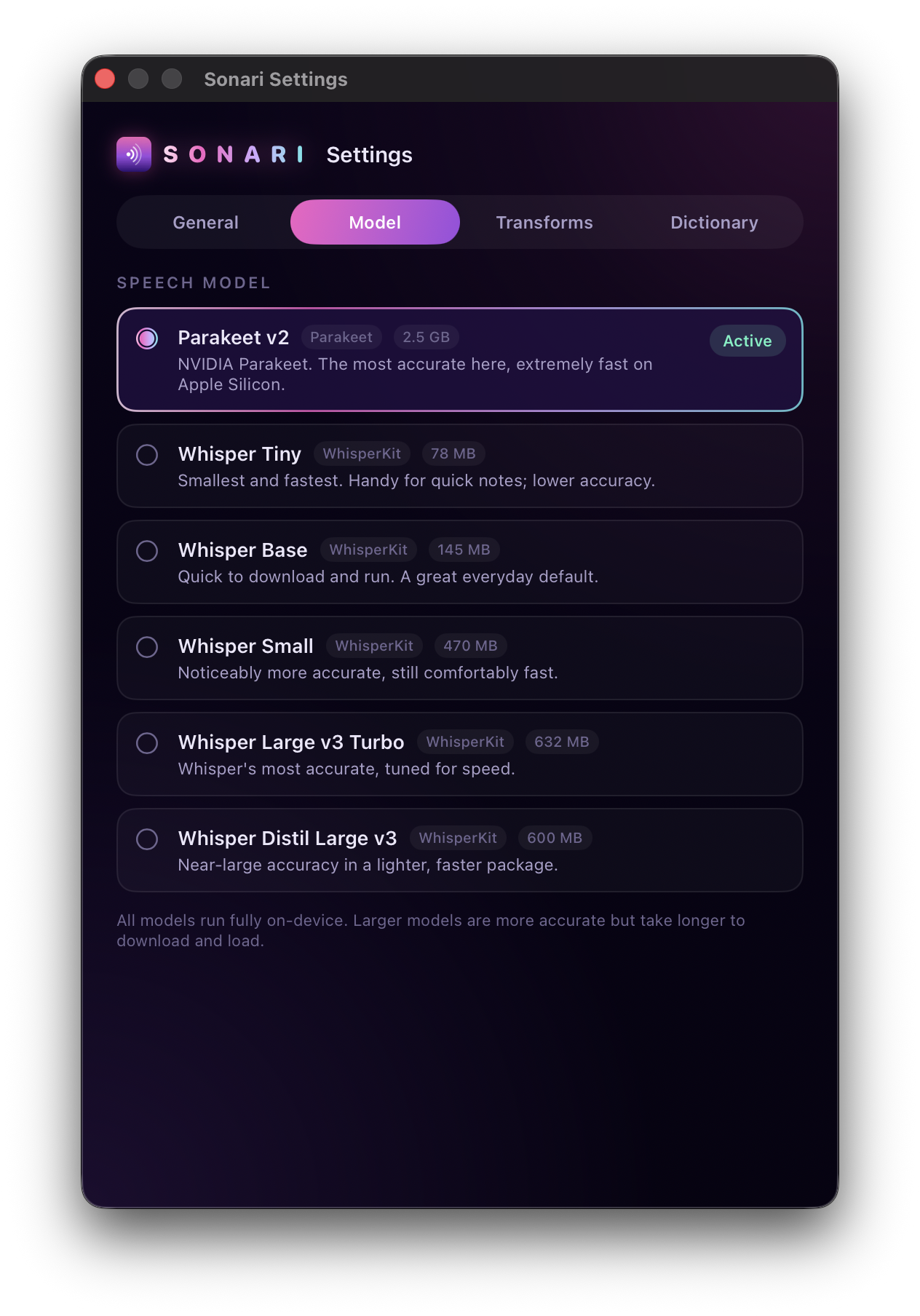
Pick Parakeet or WhisperKit in Settings. Parakeet is fast and accurate for English. WhisperKit is a smaller download. Models cache on your Mac, so switching between the ones you've grabbed is instant.
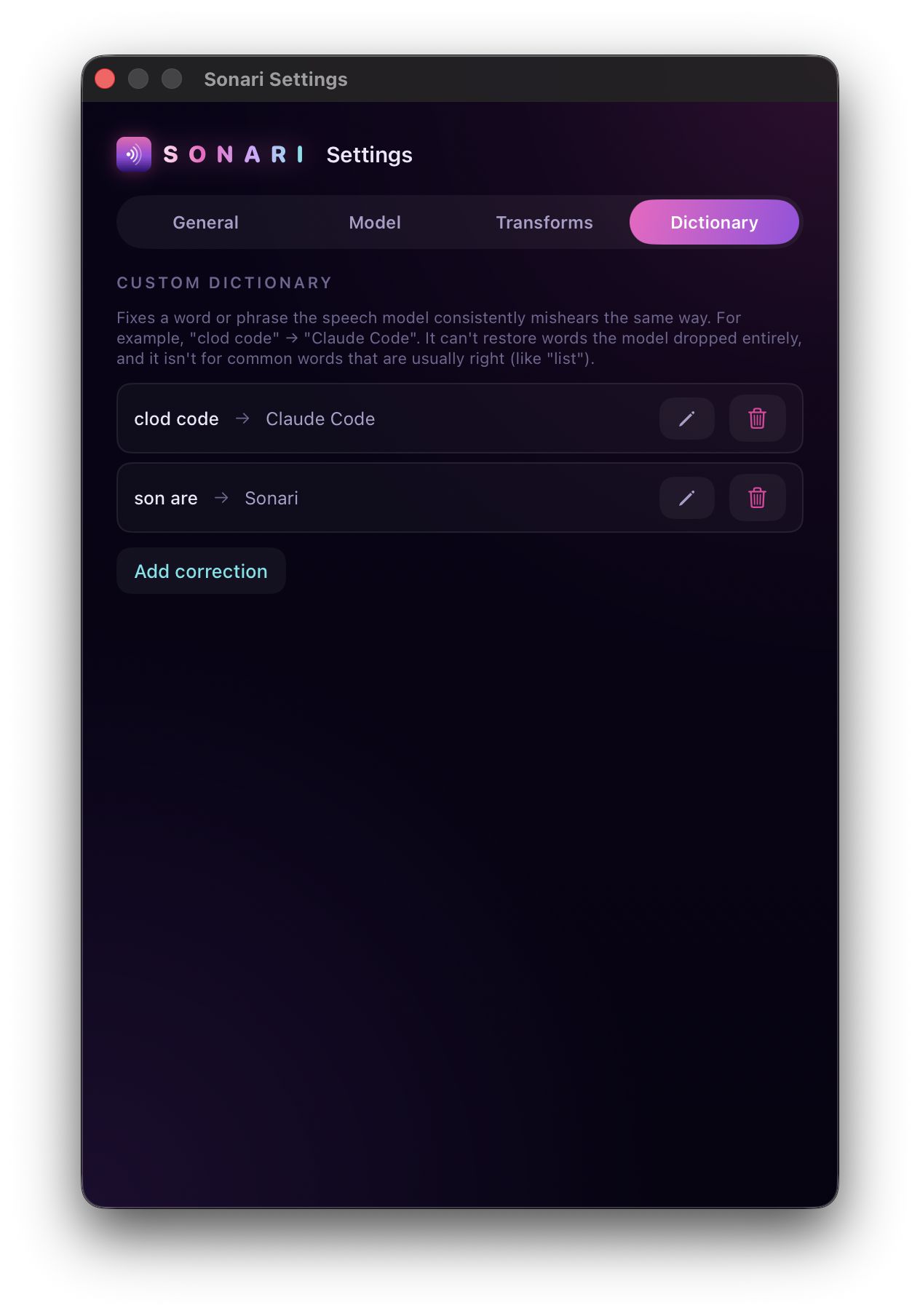
Names, acronyms, the product you say fifty times a day: the words a speech model mangles the same way every time. Add them to your dictionary once and Sonari fixes them on every transcript, before any AI even runs. It's deterministic and instant, and it works whether or not Apple Intelligence is available.
Recording, transcription, and the AI rewrites all happen on your Mac. There's no cloud to opt out of. No account, no API key, nothing to paste in. Without Apple Intelligence, Sonari still strips out the ums and stutters right on your Mac. It never falls back to a server.
The default is ⌘⇧Space; change it to anything. Tap to start and stop, or hold to talk and release when you're done.
The notch expands into a live waveform while it listens. Recording and transcription both happen on your Mac.
Clean, punctuated text is pasted into the app you were already in. No window to switch to, nothing to copy.

Sonari is the first transcription app that convinced me talking to my computer is feasible.
Michael Dyrynda

Sonari is the first dictation app that’s actually stuck. It runs entirely on my Mac, so I never think twice about what I’m saying. The per-app transforms mean Slack messages come out casual and emails come out clean, without me switching modes. It’s now a daily workflow I rely on.
Chris Gmyr
Pay once and Sonari is yours. Put it on up to 3 Macs. Your purchase comes with a year of updates, and the app keeps working long after that year is up.
No. You pay $29 once. Nothing ever charges your card again unless you decide to buy something.
Sonari keeps working, and you keep every version that came out during your year. When you want the newer ones, you can buy another year of updates for $19. It's a single purchase. Nothing renews on its own.
The one catch: a future macOS release could break an older version of Sonari. If that happens, renewing gets you the fix.
Download Sonari and use all of it for 7 days. When the week is up, enter a license key to keep dictating. Your history, dictionary and settings stay right where you left them.
Ask for a refund within 14 days of buying and you'll get one. No questions.
Polar. They're the reseller and merchant of record for Sonari, so checkout, sales tax and your receipt all go through them.
It runs on your Mac, and nothing leaves it. $29 once. Yours to keep.
Download for macOSApple Silicon · macOS 14+
One list. I email it when there's a release worth reading about, and that's it.
