
Dictionary & AI transforms
Two features shape your transcript before it lands. Both are optional, and both run entirely on your Mac.
Custom dictionary
The custom dictionary is a list of find-and-replace corrections that runs on every transcript, deterministically, whether or not AI is available.
Use it for stable mishearings: a name, a product, or an acronym the speech model gets wrong the same way every time. For example, teach it:
clod code→Claude Codeson are→Sonari
Edit the list in Settings.
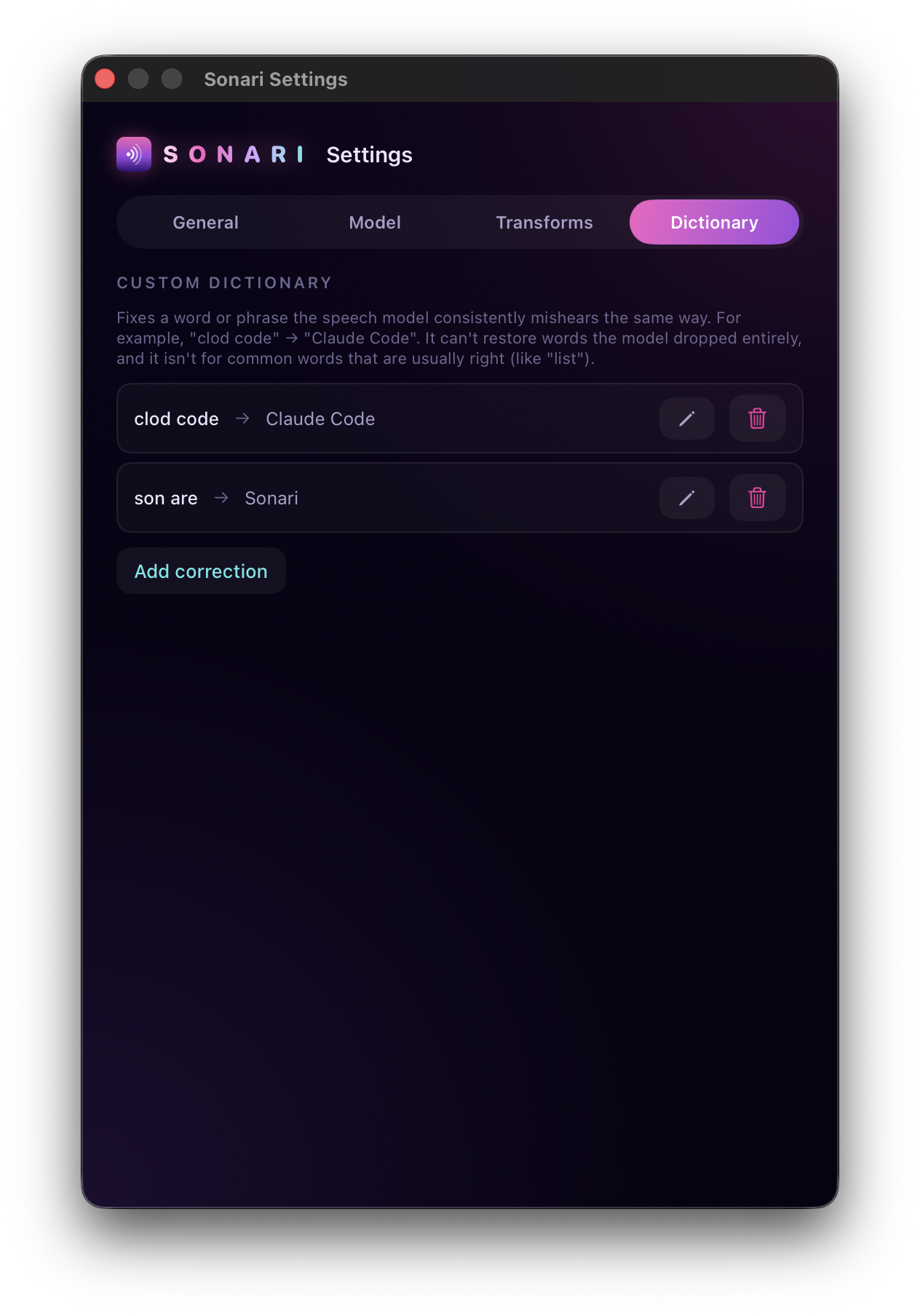
What it's good for, and what it isn't:
- ✅ Corrections that are always the same mistake → the same fix.
- ❌ It can't restore words the model dropped entirely. There's nothing to match.
- ❌ It isn't meant for ambiguous common words whose correct form depends on context (like their / there).
AI transforms
An AI transform is a named output style that rewrites your (dictionary-corrected) transcript. Sonari ships several: Off, Clean up, Email, Message, and List. You can add your own.
One transform is your default, the one that runs unless an app says otherwise. Switch it from Settings or the menu-bar panel. You can also match transforms to specific apps so the right one runs automatically.
- Off applies no AI. Your dictionary corrections still run, but nothing else touches the text.
- Clean up fixes grammar and punctuation and removes filler words.
- Email, Message, and List reshape the same words into that format.
On-device, no cloud fallback
Transforms run entirely on-device through Apple's Foundation Models (Apple Intelligence), which require macOS 26. On earlier macOS, or if Apple Intelligence isn't enabled, your transcript (with dictionary corrections applied) is inserted unchanged. There is no cloud fallback, ever; nothing is sent anywhere.
Everything else in Sonari (dictation and your custom dictionary) works on macOS 14+ without Apple Intelligence.
Match transforms to your apps
Attach an app to a transform and Sonari picks it for you, instead of switching by hand as you move around. Dictate into Slack and it comes out as a Message. Dictate into Mail and it comes out as an Email.
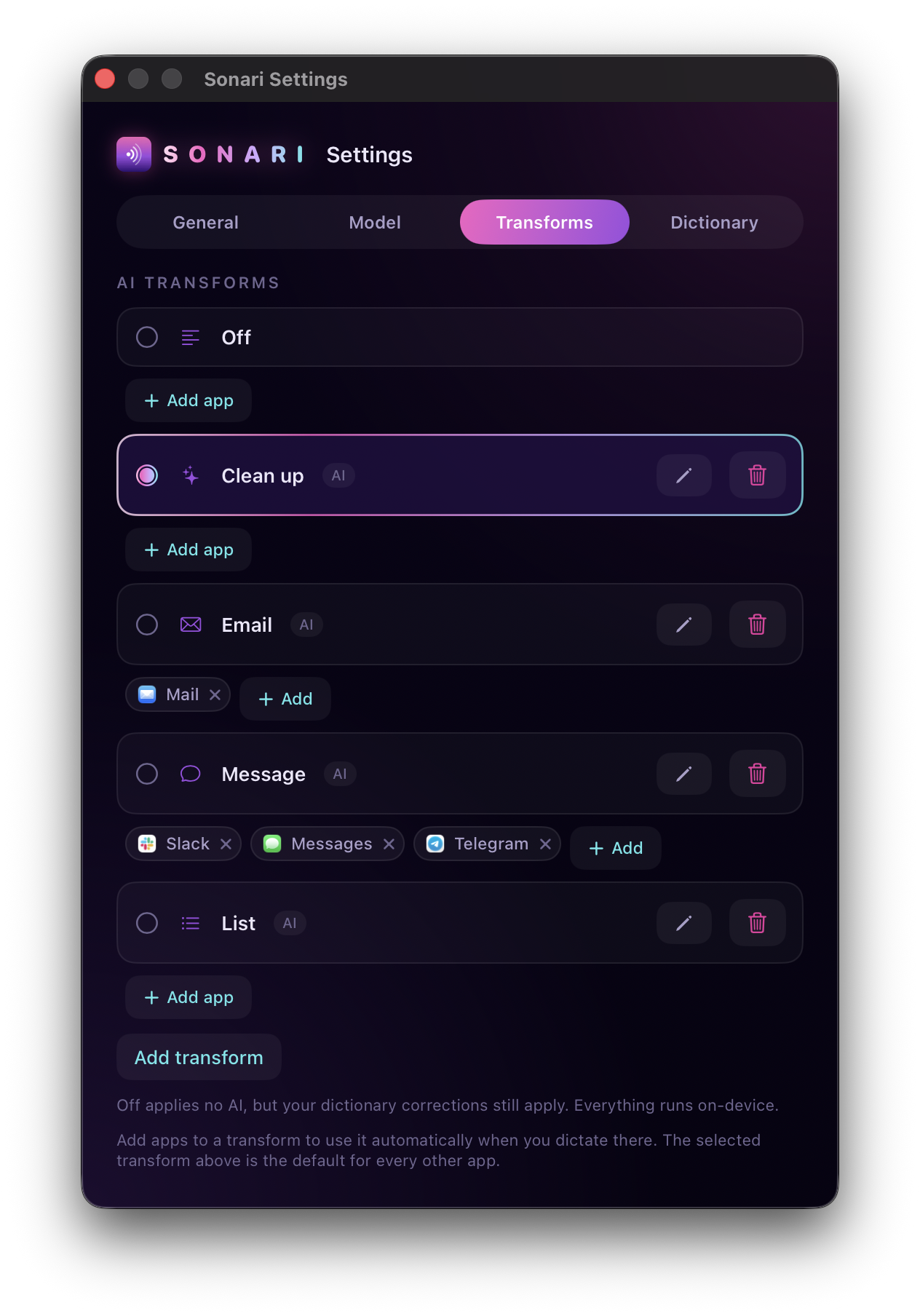
The transform you pick in Settings or the menu bar is your default. It runs anywhere you haven't mapped an app. A mapping overrides it, for that one app.
Attach an app
- Open the app you want to map. Sonari lists the apps running right now.
- In Settings, find the transform's row and click Add app.
- Pick the app from the list.
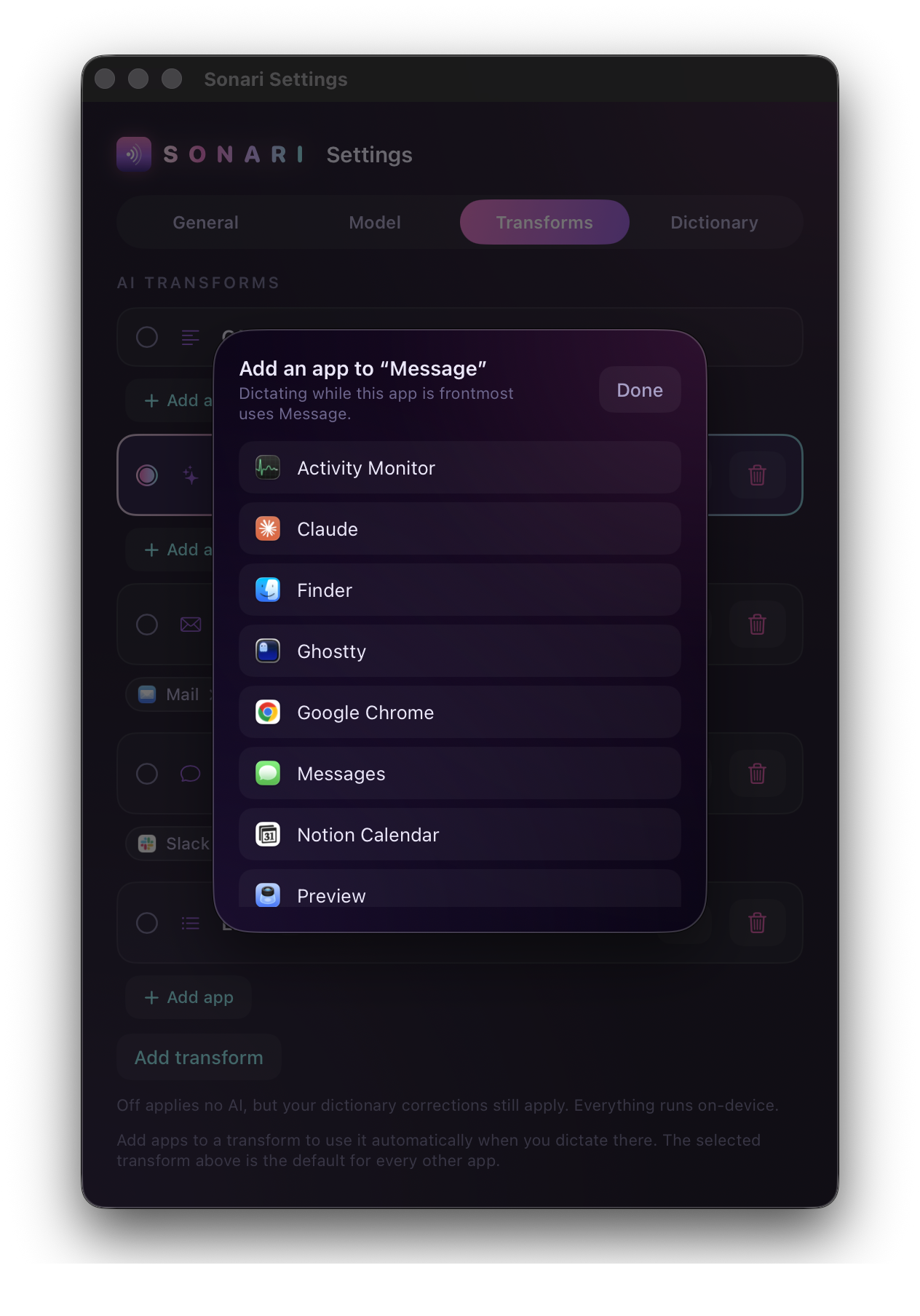
It shows up as a chip under that transform. Sonari checks which app is in front the moment you start talking, so the transform matches where you're dictating. While it runs, the recording pill names it (Message…), so you can see which one fired.
A few things worth knowing:
- Attach as many apps as you want to one transform. Slack, iMessage, and Telegram can all point at Message.
- Each app maps to one transform. Add an app that's already mapped somewhere else and it moves, instead of living on both.
- Map an app to Off to turn AI off just there, say a terminal or a password manager, while everything else keeps its transform.
Reading which app is in front happens entirely on your Mac. It needs no extra permission, and the app name never leaves your machine. See Privacy.
Trigger a transform with a shortcut
Any transform except Off can have its own keyboard shortcut. Press it and Sonari runs a dictation with that transform this one time, ignoring your default and any app mapping. It's the on-demand version of app matching: a Summary hotkey or an Email hotkey you can reach from anywhere.
Set it in the transform's editor. Click the pencil on a transform's row, then record a shortcut under Keyboard shortcut. Each one is unset until you record it, and clearing it turns the shortcut back off.
The shortcut follows your toggle-or-hold setting, the same as the main dictation shortcut.