
History
Every dictation is saved locally, together with its audio. Open the History window to work with past recordings.
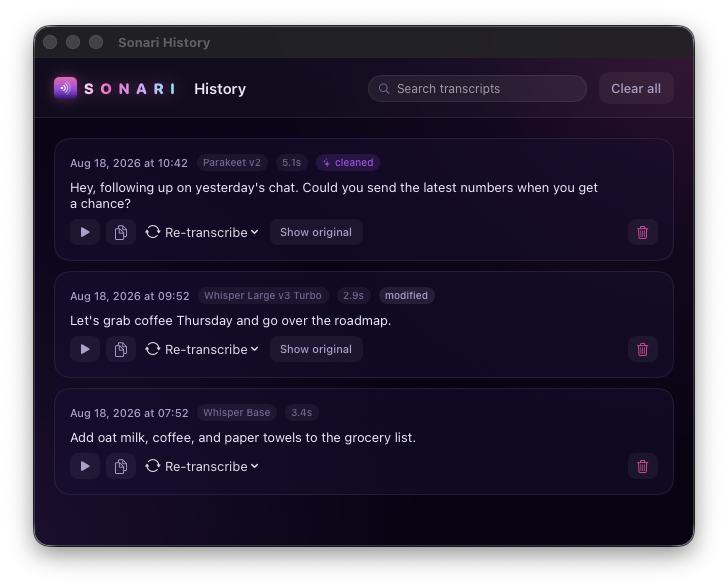
In History you can:
- Search your transcripts.
- Play back the original audio.
- Copy the text again.
- Delete a recording you don't want kept.
- Re-transcribe a recording with a different model. This is handy for comparing Whisper Base against Parakeet on the same audio, or for upgrading an old transcript after you download a better model.
Because the audio is kept alongside the transcript, re-transcribing never needs you to say anything again. It just runs the saved recording through the model you pick.
All of it stays on your Mac. Where it's stored is listed under Privacy, and you can delete any recording (and its audio) from the History window at any time.