
Getting started
Sonari turns speech into text on your Mac. You press a shortcut, talk, and clean, punctuated text is pasted into whatever app you're already in. Recording, transcription, and cleanup all run on-device. Nothing is uploaded.
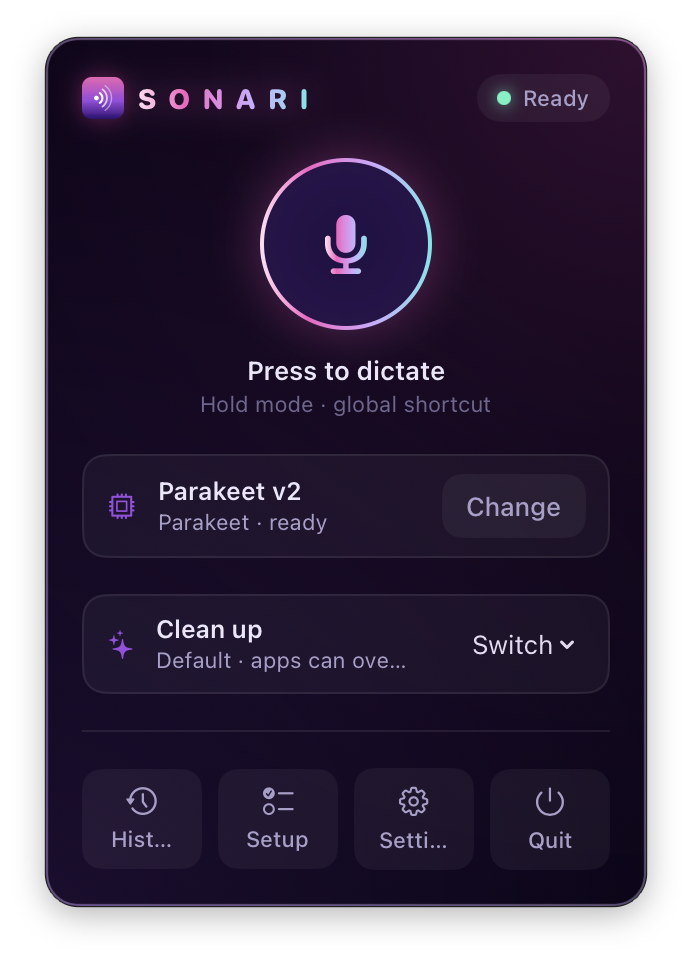
Sonari lives in your menu bar; there's no Dock icon.
The five-minute setup
- Install Sonari and open it. It opens Settings on first launch.
- Pick a model and download it. Whisper Base (~145 MB) is the quick default. For the best accuracy, grab Parakeet v2. See Models.
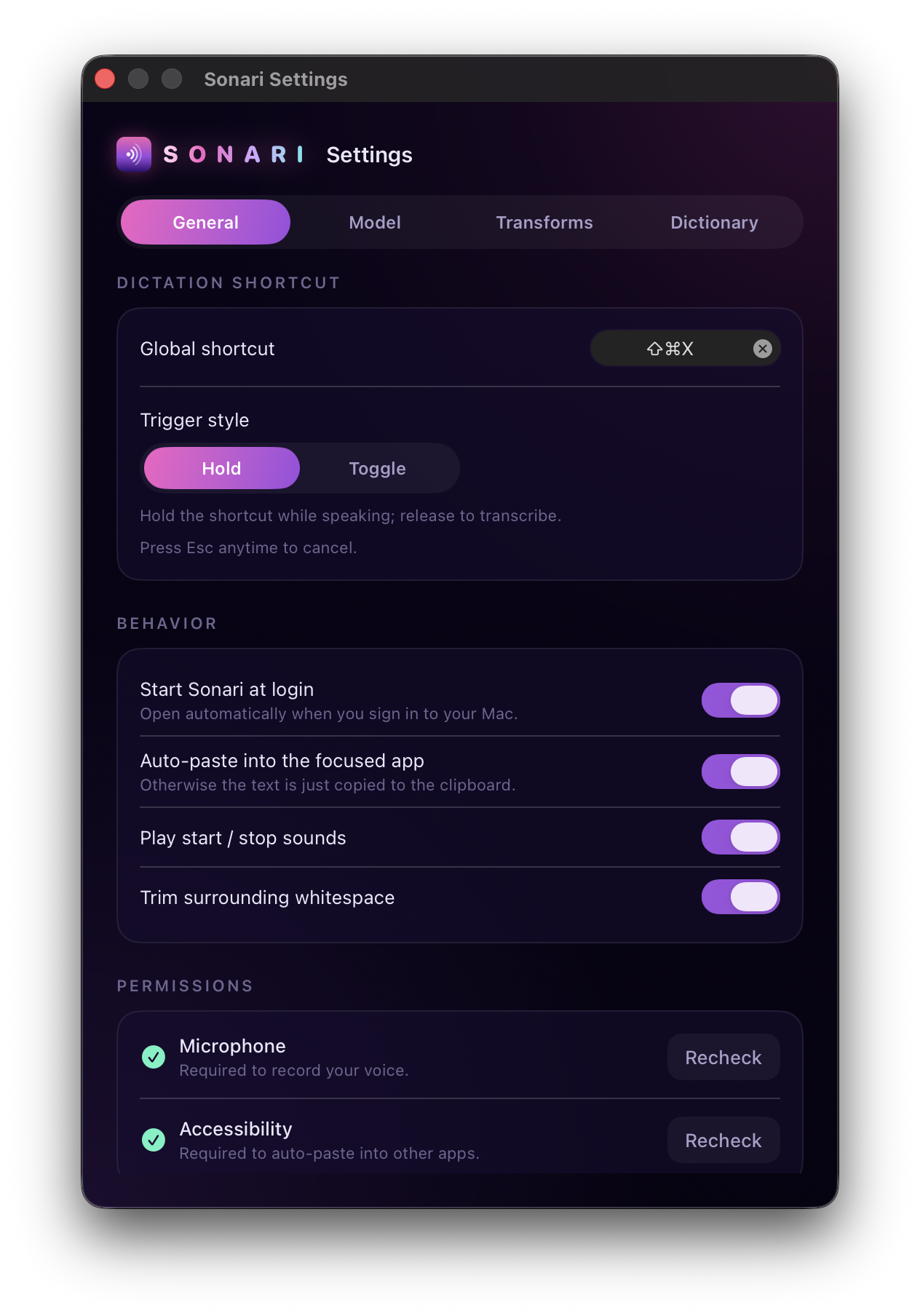
- Grant Microphone access when prompted, so Sonari can record.
- Grant Accessibility access (Settings → Permissions → Enable). This is what lets Sonari paste into other apps. Without it, transcriptions are copied to the clipboard instead.
- Press ⌘⇧Space, say something, and press it again. Your words appear in the focused app.
That's the whole loop. From here:
- Using Sonari covers shortcuts, toggle vs. hold, and the recording pill.
- Dictionary & AI transforms fixes names and reshapes output.
- Privacy lays out exactly what stays on your Mac (all of it).
Requirements
- Apple Silicon Mac (built and tested on an M-series)
- macOS 14 or later
- English
If any of those don't match your Mac, Sonari isn't the right fit yet. See the notes on installing.